limbus game Updates
Where patch notes land, Renclair place activity, and what to re-check after every drop.
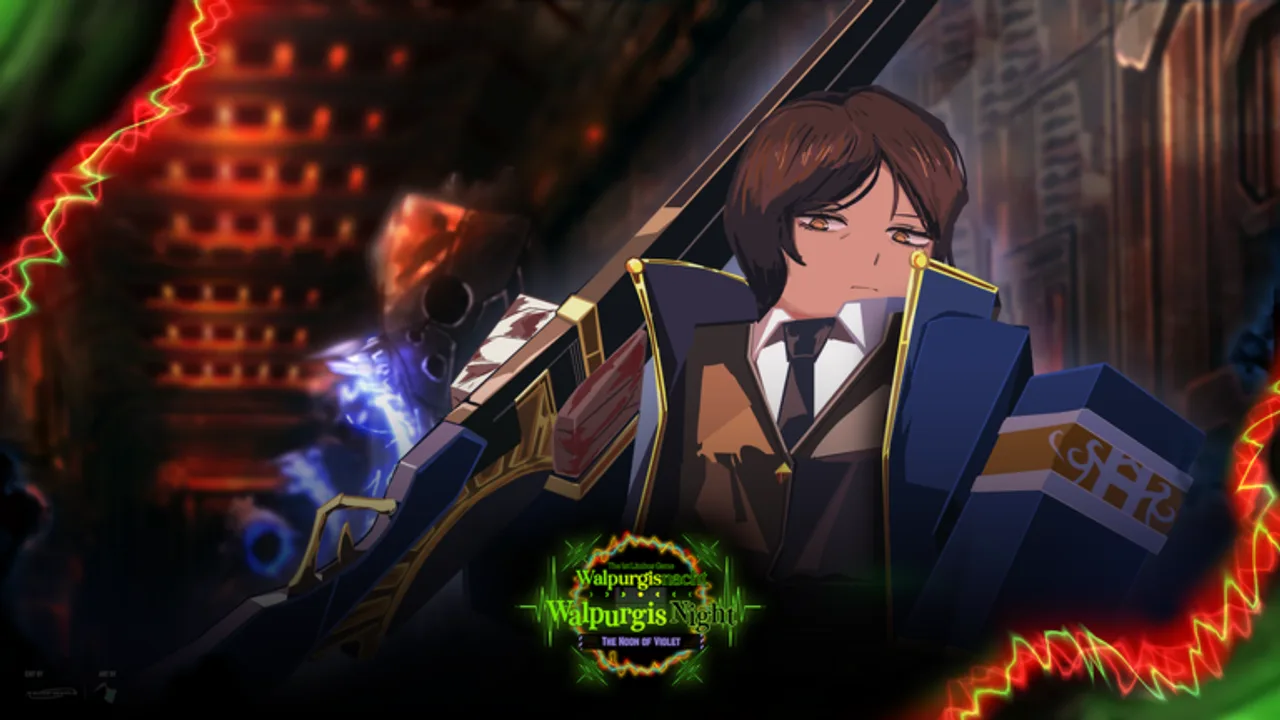
Stay current on limbus game without fake dated changelogs. This Updates Hub explains where official notes appear, how often content usually lands, which themes have defined recent patches, and a practical checklist to run after every update. games of limbus ships the Roblox Battlegrounds & Fighting experience inspired by Limbus Company; balance and Identity kits move often enough that last month’s muscle memory can fail in today’s lobby.
We deliberately do not invent a dated patch table. If a site shows a perfect week-by-week list with made-up bullet points, treat it as SEO filler. Use Discord and Trello as the source of truth, then return here for the player-facing “what should I do next” summary.
November 2026 place activity (Renclair branding)
As of November 2026, the live Roblox place players join is branded [RENCLAIR] limbus game (universe activity around 2026-11-10, multi-million visit range). The older Apple Pie Logistics listing still redirects here. Practical takeaways—not a fabricated changelog:
- Title / branding on the Roblox page can change while combat systems stay familiar. Always join from the official place link on Wiki / Official Links, not a random private-server seller.
- VIP / private server creation remains disabled on this universe. Practice habits belong on Private Servers, not on paid VIP guides copied from other games.
- Discord is still first. Place page text and visit counters do not replace
#update-logfor Identity numbers, boss tweaks, or rare Codes mentions. - Use this moment to re-confirm controls, supports, and portal routes after any maintenance window—even when the public “patch blog” internet invents dates.
Where to read patch notes
- Discord
#update-log— primary feed for shipped changes. Join through the game’s social links or group (details on Official Links), verify if the server requires BloxLink, then read#update-logand#announcementsafter maintenance. - Trello Upcoming / Info — the Limbus Game Official Trello tracks roadmap cards, mechanic explainers, and teases. Upcoming columns preview Identities, systems, and event ideas before they hit live servers.
- Roblox place / group — major launches sometimes mirror a short summary on the game page or group wall (including Renclair title text).
- This wiki — we translate patch themes into actionable links: Tier List, Players, Combat Mechanics, Status Effects, Codes, and Scripts (scripts often break on day one).
Typical update cadence
limbus game does not publish a fixed calendar like a AAA season pass, but the live pattern players feel is:
- Hotfixes — quick combat polish, bug fixes, exploit closes; can land with little warning.
- Content drops — new Identities, emotes, announcers, or map/event pieces spaced across weeks.
- Boss / event weeks — limited encounters and event maps that reshuffle daily goals.
- Systems polish — Clash timing, Posture thresholds, Light economy, SP regain, dash i-frames, and UI (Settings L / Selection M) refinements.
Expect Discord to speak first. If Trello Upcoming cards suddenly move or get checkmarks, a live drop is often close.
Recent themes (honest overview)
Without fabricating patch dates, these themes have defined the post-launch conversation:
New Identities
Identity kits are the headline feature for most players. A new Identity usually means new skill 1–4 timings, different Clash strength, and a re-ordered Tier List. After an Identity patch: open Selection (M), read the kit tooltips, equip up to two support passives, and test M1 cancel windows in a low-pressure fight before you take it into sweaty lobbies. Secret routes such as Lucio Unlock still need in-game verification after portal tweaks.
Boss fights (Lei Heng, Winged Tiger, and similar)
Boss-inspired encounters teach telegraphs that also improve PvP reads — punish windows, posture pressure, and when to save Light. Event Hub style helpers on the Scripts page target event maps when those weeks are live; they are optional and risky. Legitimate clears still rely on block (F), directional Q dashes, and combo break (R under 30% Posture). See How to Beat Bosses.
Combat polish
Small number changes to Posture gain on blocked hits, SP on Clash Win, Light costs, status families, and dash recovery change the “feel” overnight. Re-read Combat Mechanics, Status Effects, and keep the Combat Reference open while you re-learn muscle memory.
Post-update checklist (do this every time)
- Read
#update-log— note Identity names, bug fixes, and any mention of codes or redeem UI. - Skim Trello Upcoming — see what is next so you do not over-invest in a kit about to be reworked.
- Rebind / confirm controls — LMB M1, RMB special, 1–4 skills, F block, directional Q dashes, R combo break, M Identity select, L Settings. Details: Controls and Combat Reference.
- Retest your main Identity — Clash win rates and Light spend often shift even when the patch note looks cosmetic.
- Check Codes and How to Redeem — most updates have no code; when one exists, it is announced quickly and expires fast.
- Assume Scripts are broken until proven otherwise; update loadstrings only from refreshed raws.
- Refresh tier notes — open Tier List and Players before locking a grind path.
- Warm up one match focusing on Posture and SP bars instead of greeding kills.
- Confirm loadouts in public — support edits may not persist if you only change them in odd sessions (Private Servers).
How updates interact with the rest of the wiki
- Beginners: after any tutorial or onboarding change, restart from Getting Started.
- Mechanics learners: systems patches → Combat Mechanics + Status Effects.
- Meta players: Identity patches → Tier List + Players.
- Collectors: watch Codes and Discord for limited redeem windows.
- Link stack: keep Official Links pinned for Trello + Discord entry points.
What we will not do on this hub
- Publish invented patch dates or copied changelogs from random blogs.
- Promise that a YouTube “update” thumbnail matches live servers without Discord confirmation.
- Hide breaking changes that affect Posture, Light, or Clash behind vague hype language.
When a major drop lands, expand your reading order: Discord note → this checklist → Identity pages → one warm-up match. That loop beats scrolling ten unverified “patch” articles.
Related pages
- Official Links — Discord and Trello entry
- Codes Hub — redeem status after drops
- How to Redeem — Settings L / Selection M steps
- Tier List — meta after Identity patches
- Combat Reference — controls and resource bars
- Scripts Hub — expect breakage after combat changes
- Getting Started — re-orient if onboarding shifted
- Private Servers — VIP disabled notes
Check Discord first, then come back here for the player checklist. That is the reliable update workflow for limbus game.
Frequently Asked Questions
Quick answers for Clash, Identities, codes, and more.
Where are official limbus game patch notes posted?
Primarily in the official Discord #update-log and #announcements. Trello Upcoming previews roadmap items before or alongside live drops.
How often does limbus game update?
There is no fixed public calendar. Expect hotfixes, Identity drops, boss/event weeks, and combat polish on an irregular but frequent live-service rhythm.
Why is there no dated patch list on this page?
We avoid fabricated changelogs. Use Discord and Trello as sources of truth; this hub focuses on themes and a post-patch checklist.
What usually changes in big updates?
New Identities, boss or event content (such as Lei Heng / Winged Tiger themed fights), and combat polish around Clash, Posture, Light, and SP.
Should I expect scripts to work after a patch?
Often no. Combat and place changes break hooks. Retest only after authors update their raw loadstrings.